YouTube AI Chat on TV: How It Works and Key Features
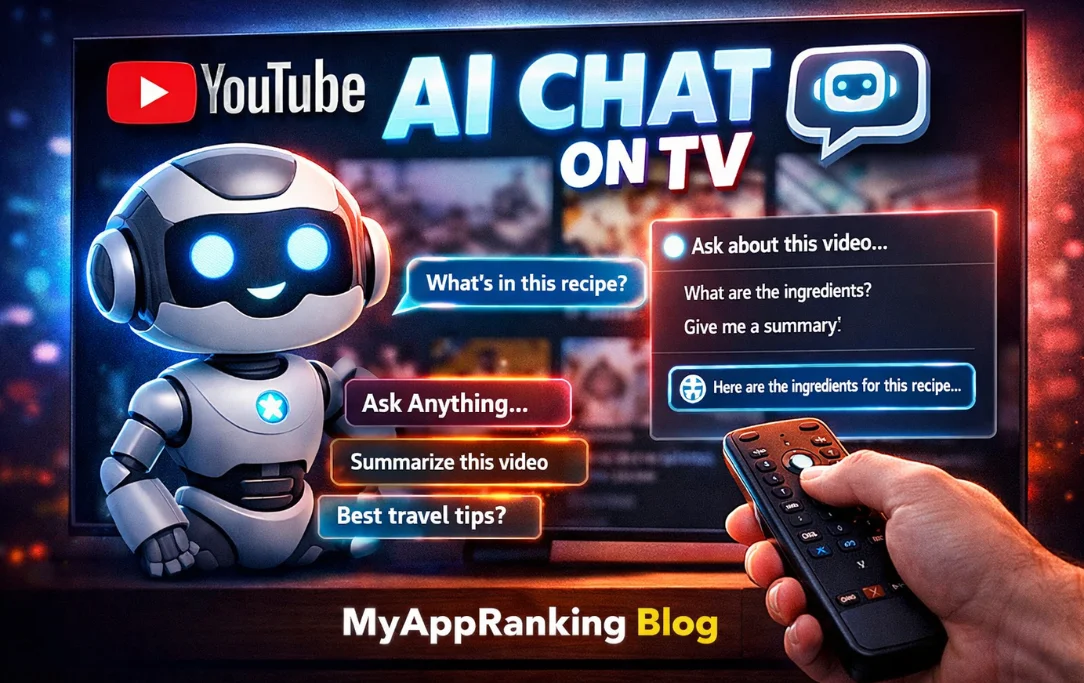
YouTube AI chat on TV is a new feature that lets viewers interact with videos directly. It brings the convenience of asking questions and receiving answers while watching videos on smart TVs. This makes YouTube more interactive for users and improves engagement. In this article, we explain how this feature works, its main benefits, and what users need to know.
What Is YouTube AI Chat for TV?
YouTube AI chat is an interactive tool for TVs that allows users to ask questions about the video they are watching. It works similar to mobile or desktop chat but is designed for large screens. Viewers can use their remote control or voice commands to interact with the AI, making it easy to get instant answers without pausing the video.

How YouTube AI Chat Works
This feature uses advanced AI technology to provide contextual responses. It analyzes the video content, title, and description to generate accurate answers. Here’s how it works:
| Step | Description |
|---|---|
| 1 | Press the “Ask” button on your TV screen while watching a video |
| 2 | Type a question or use the voice command feature on the remote |
| 3 | The AI processes the video content and provides an answer |
| 4 | Answers appear on-screen while the video continues playing |
This simple process ensures that users can interact with videos seamlessly without interrupting their viewing experience.
Key Features of YouTube AI Chat
Ask Button: Opens the chat interface on the TV.
Voice Input: Speak your question using the remote’s microphone button.
Text Input: Type questions using on-screen keyboard.
Contextual Answers: Responses are based on the video content and related data.
Suggested Questions: The interface shows pre-generated prompts to guide users.
Real-Time Interaction: Get answers instantly without pausing the video.
Devices Supporting YouTube AI Chat
Currently, YouTube AI chat is available on a limited number of devices. Supported devices include:
| Device Type | Notes |
|---|---|
| Smart TVs | Compatible with major brands supporting YouTube app updates |
| Gaming Consoles | Works on devices like PlayStation and Xbox |
| Streaming Media Devices | Supported on Roku, Fire TV, and Chromecast |
The rollout is gradual and limited to users aged 18 and above.
Supported Languages
The feature supports multiple languages to serve a wide audience. Initial languages include:
English
Hindi
Spanish
Portuguese
Korean
More languages are expected to be added in future updates.
Why YouTube AI Chat Matters
YouTube AI chat makes TV viewing more interactive. Users no longer need to switch devices to search for information. It improves user engagement and makes watching tutorials, recipes, and educational content easier. Key benefits include:
Quick access to video-related information
Easier understanding of tutorials or step-by-step guides
Enhanced viewer engagement and longer watch time
Convenient voice or text interaction without leaving the video
How YouTube AI Chat Compares to Other AI Tools
While smart TV platforms like Amazon Alexa and Roku offer voice search, YouTube AI chat provides video-specific answers. Unlike general voice assistants, it understands the video context. Users can ask about ingredients in a recipe, summarize a tutorial, or clarify technical details. This makes it more precise for YouTube content.
A: It is a feature that lets viewers ask questions and get answers directly on their TV while watching videos.
A: Currently, it works on smart TVs, gaming consoles, and streaming media devices like Roku, Fire TV, and Chromecast.
A: Yes, a YouTube account is required, and users must be over 18 to access the feature.
A: You can ask video-related questions or use suggested prompts provided in the chat interface.
A: No, the AI displays answers on-screen while your video continues playing.
A: Initial supported languages include English, Hindi, Spanish, Portuguese, and Korean.
A: The feature is currently in a limited rollout and may not be available in all regions yet.