


Apple Search Ads Best Practices Guide 2026
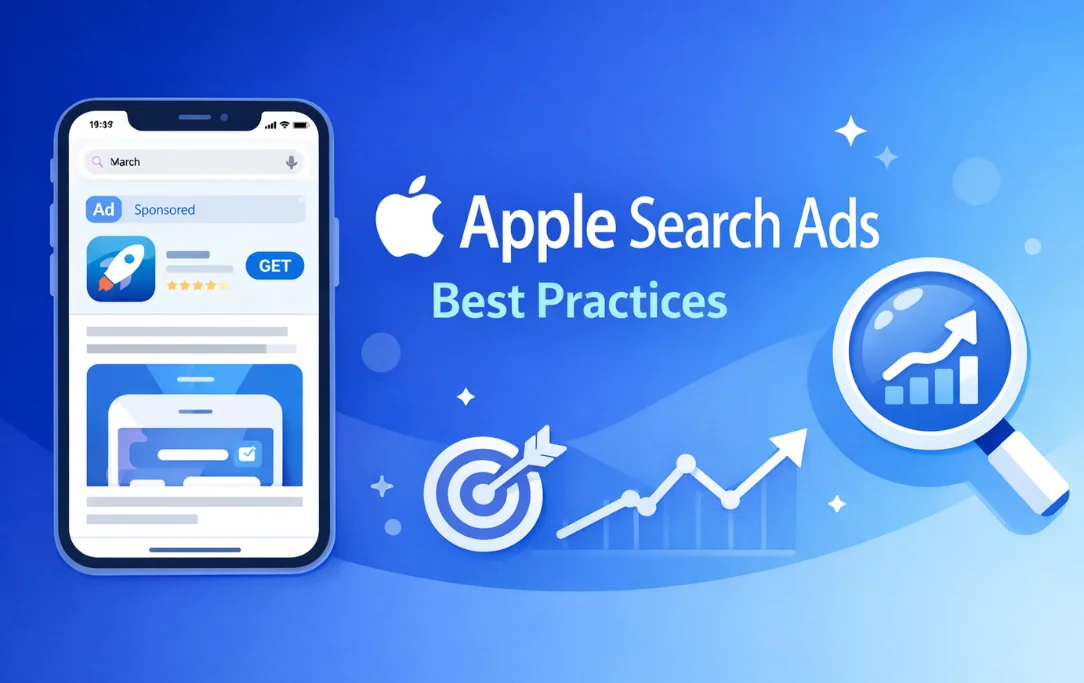
If you want your app to stand out in the App Store, you need a strong approach to Apple Search Ads Best Practices. These ads help your app reach users who are actively searching for similar apps. They appear at the top of App Store search results and link directly to your app page, where interested users can download instantly. A well‑structured Apple Search Ads campaign can improve visibility and increase installs. To do that, you need the right strategy, optimization, and ongoing improvements.
This guide will cover everything from campaign setup to advanced techniques you can use. We will also explore how to make the most of apple search ads optimization, plan your budget, monitor metrics, and scale performance.
1. Why Apple Search Ads Matter
Apple Search Ads are different from many other ad formats. They only show when a user searches in the App Store. This means you are reaching users with real intent. The user is already looking for an app like yours, not just browsing aimlessly.
This is one of the reasons these ads often have better engagement and conversion rates than many other ad placements. By bidding on relevant keywords and aligning your ad content with user search intent, you can drive highly relevant traffic to your app.
In this guide, you will see how optimizing apple search ads improves campaign efficiency over time.
2. Setting Clear Goals Before You Start
Before you create your first campaign, define your goals. Ask yourself:
-
Do you want to increase installs?
-
Are you trying to reach new users in global markets?
-
Are you defending your brand name against competitors?
Your goals determine the campaign types you create, how you set up your keywords, and where you place your budget. A clear goal helps guide your strategy and prevents wasted spend.
3. Campaign Structure: The Foundation of Success
A strong apple search ads campaign structure makes optimization easier. Instead of placing all keywords in one campaign, break them into logical groups based on intent. Here is a widely recommended structure:
Brand Campaign
This targets search terms directly related to your app name or brand. These users are highly likely to install your app because they already know it. This campaign usually has the highest conversion rates.
Category Campaign
These keywords are related to the type of app you offer, like “fitness tracker” or “budget planner.” This helps you reach users with specific app needs.
Competitor Campaign
Target competitor app names or similar products. This lets you capture users considering alternatives.
Discovery Campaign
This segment uses broader or exploratory keywords. These keywords may not be tied directly to your app’s category but help find new search trends.
By separating campaigns this way, your reporting becomes clearer. You can see where installs are coming from and which keywords are most effective.
Suggested image idea: Diagram showing the four campaign types (Brand, Category, Competitor, Discovery).
4. Ad Groups: Group for Intent
Within each campaign, set up ad groups based on keyword themes or match types. For example:
-
One ad group for exact match keywords
-
Another for broad match or Search Match
Ad groups help you manage bids and creatives more accurately. Exact matches often show ads only when users search precisely for your keyword. Broad match or Search Match helps discover related user searches.
This setup allows better budget control and easier performance tracking.
5. Choosing the Right Keywords
Keywords are the backbone of Apple Search Ads. They determine where and when your ads appear. You should balance between:
High‑Intent Keywords
These are the terms users type when they know what they want. Examples include your app name or specific use cases.
Broad or Discovery Keywords
These are less specific terms that bring new users. For example, “productivity tools” might bring users who are not sure which app they want yet.
Negative Keywords
Negative keywords tell Apple which search terms you do not want to show up for. Setting these avoids wasteful spending and low‑quality traffic.
Regularly review search term reports to refine your list. Remove irrelevant terms and add new high‑performing keywords.
6. Budgeting: Smart Daily Spend Planning
Setting the right apple search ads daily budget is critical. Don’t rely only on the default suggestions. Consider:
-
Your total marketing budget
-
Average install cost in your category
-
Competitive intensity for your keywords
Try starting with a lower daily budget. Let campaigns gather initial data. Then increase budget for top performers.
Careful budget planning prevents overspending on poorly performing keywords.
7. Bidding Strategy That Works
Apple Search Ads uses a cost‑per‑tap model. You only pay when a user taps your ad. But setting a maximum bid requires strategy.
Start with Apple’s suggested max CPT, then adjust based on performance.
Here are practical steps:
-
Raise bids for high‑performing keywords with strong conversion.
-
Decrease bids on low‑performing terms.
-
Separate bidding strategies for branded vs generic keywords.
-
In competitive markets, a slightly higher bid can help you win auctions.
Regular bid reviews improve performance over time.
8. Choosing Match Types for Better Reach
Apple offers several keyword match types:
Exact Match
Your ad shows only for precise query matches. This increases relevance.
Broad Match
Your ad can show for related queries and conceptually similar searches.
Search Match
This uses App Store metadata to match your app with relevant searches automatically.
Each match type has its role. Use exact for high‑intent terms, broad to discover opportunities, and Search Match to explore new search behaviors.
9. Creative Sets and Product Pages
Creative Sets let you choose which assets (screenshots and previews) Apple displays with your ad. These should be relevant to the keywords you bid on. For example:
-
If your keyword is about a specific feature, show screenshots highlighting that feature.
Using relevant creative sets improves your app’s appeal and increases install probability.
If you link to custom product pages, make sure the messaging and visuals align with the ad. This creates a seamless experience from search result to install.
10. Tracking Apple Search Ads Metrics Effectively
You cannot improve what you don’t measure. Tracking apple search ads metrics lets you make smart decisions.
Key metrics include:
-
Impressions: How many users see your ad
-
Tap‑Through Rate (TTR): Percentage of users who tap your ad
-
Taps: Number of actual taps
-
Install Rate: How many taps lead to installs
-
Cost‑Per‑Install (CPI): Cost to acquire an install
Watch for trends. If TTR is low, your keywords or creatives may not be relevant. If CPI is rising, adjust bids or remove poor performers.
11. Export Data for In‑Depth Analysis
For advanced reporting, you should export data from apple search ads. Exported CSV or reports help you:
-
Compare performance over time
-
Spot patterns across regions or audience segments
-
Test changes and measure the impact
Regular data review improves accuracy in optimization decisions.
12. Keyword Refinement and Negative Keywords
Refining your keyword list is an ongoing task. Once you are generating consistent installs, analyze search terms to:
-
Identify new high‑value keywords
-
Move high‑performing terms out of discovery campaigns to core campaigns
-
Add irrelevant terms as negative keywords
This continuous refinement improves campaign efficiency.
13. Mistakes to Avoid in Apple Search Ads
Even experienced marketers make errors. Avoid these common pitfalls:
Keyword Overlap
Using the same keyword across campaigns can split your budget and distort performance data.
Ignoring Negative Keywords
Without negatives, your ad can show for irrelevant searches. This wastes budget and lowers conversion rates.
Over‑Adjusting Bids Quickly
Large bid changes make it hard to assess performance. Change by small increments — around 10‑20% at a time.
Understanding these mistakes helps you build stronger campaigns from the start.
14. Using Tools to Improve Campaign Management
There are tools built into Apple Search Ads and third‑party options that help with:
-
Keyword discovery
-
Bid automation
-
Performance reporting
-
Competitor analysis
Leverage these tools to save time and refine strategy.
15. Connecting Apple Search Ads With ASO
Apple Search Ads and App Store Optimization (ASO) work well together. High‑value paid keywords can highlight important terms to improve your app’s organic metadata. Likewise, improvements in ASO support better ad relevance.
Aligning your paid and organic strategies improves your overall App Store presence.
16. Advanced Tips for Scaling Advertising
Once your campaigns are stable:
-
Expand to new regions based on performance
-
Test seasonal keywords ahead of trends
-
Use data to refine bid strategies across markets
-
Segment audiences by device or demographics
Advanced optimization ensures long‑term growth.
17. Measuring Success and KPIs
Define success by your goals. Track metrics like:
-
Conversion rates
-
Return on ad spend
-
Download volume
-
Cost per install
Your decisions should always be driven by data.
Conclusion
Using Apple Search Ads Best Practices ensures that your app reaches its audience efficiently. From well‑structured campaigns and intelligent keyword choices to smart bidding and ongoing optimization, each step improves your ad performance. By tracking metrics and refining based on results, you can make steady progress toward your growth goals.
With the right approach to apple search ads optimization, effective budgeting, and performance monitoring, you can build sustainable Apple Search Ads campaigns that deliver real results.
If you are also looking for professional mobile app campaign management services on Apple Search Ads or Google UAC, you can contact us at MyAppRanking.com to get expert assistance and improve your app’s performance.
📢 Guest Posting
Opportunity for App
Boost the Mobile App Growth with the Ultimate Mobile App Review Guest Posting Site Just in $40
Latest Blogs
Apple Search Ads Basic vs Advanced Guide 2026
Apple Search Ads Best Practices Guide 2026
Best ASO Optimization Tools for App Store Growth
📢 Guest Posting
Opportunity for App
Boost the Mobile App Growth with the Ultimate Mobile App Review Guest Posting Site Just in $40
Contact Us
1. What are Apple Search Ads?
Apple Search Ads are paid advertisements that appear at the top of App Store search results. They help apps reach users actively searching for relevant apps, increasing installs and visibility.
2. Why should I use Apple Search Ads for my app?
These ads target users with real intent. Unlike other ad types, they appear when users are searching for apps, leading to higher engagement and conversion rates.
3. What is the best campaign structure for Apple Search Ads?
A well-structured campaign typically includes:
-
Brand Campaign: Keywords related to your app name
-
Category Campaign: Keywords related to app type
-
Competitor Campaign: Target competitor app names
-
Discovery Campaign: Broader or exploratory keywords
4. How do I optimize Apple Search Ads?
Optimization involves:
-
Choosing high-intent keywords
-
Using negative keywords to avoid irrelevant clicks
-
Testing creative sets like screenshots and previews
-
Adjusting bids based on performance metrics
-
Monitoring key metrics like TTR, CPI, and installs
5. What is Apple Search Ads cost?
Apple Search Ads use a cost-per-tap (CPT) model. You pay only when a user taps your ad. Costs vary based on keyword competition, bid amounts, and target audience.
6. What is the difference between Basic and Advanced campaigns?
-
Basic: Automated targeting, limited control, ideal for beginners
-
Advanced: Full control over keywords, bids, audience, and reporting, ideal for optimization
7. How do I track Apple Search Ads performance?
Key metrics include:
-
Impressions: How many users see your ad
-
Tap-Through Rate (TTR): Percentage of users who tap your ad
-
Installs: Number of downloads resulting from clicks
-
Cost Per Install (CPI): Average cost to acquire an install
8. Can I export data from Apple Search Ads?
Yes, Apple Search Ads allows exporting data for deeper analysis. Exported reports help identify high-performing keywords, optimize bids, and improve campaign efficiency.
9. How often should I refine my keywords?
Keyword refinement should be ongoing. Analyze search term reports regularly, add high-performing terms, and add irrelevant terms as negative keywords to reduce wasted spend.
10. Can Apple Search Ads help with organic App Store Optimization (ASO)?
Yes. Paid keywords from Apple Search Ads can highlight high-value terms to improve your app’s organic metadata. Likewise, ASO improvements help your ads perform better by increasing relevance.
11. Where can I get professional help with Apple Search Ads campaigns?
If you are looking for expert mobile app campaign management services on Apple Search Ads or Google UAC, you can contact MyAppRanking.com for professional assistance.
